Introduction
Now, imagine bringing that exact look and feel to your modern Android smartphone. Thanks to the Nokia 1280 Launcher for Android, you can transform your high-tech touchscreen device into a tribute to the classic feature phone era. These launchers recreate the user interface, icons, sounds, and even the behavior of the original Nokia 1280, allowing you to experience a wave of nostalgia every time you unlock your phone. Whether you are a long-time fan of the brand or simply appreciate minimalist, distraction-free interfaces, this guide will walk you through everything you need to know about Nokia 1280 launchers for Android.
What is a Nokia 1280 Launcher for Android?
A Nokia 1280 Launcher for Android is a customization application that mimics the user interface and experience of the classic Nokia 1280 feature phone on modern Android devices. It replaces your current home screen, app drawer, icons, and often system sounds with designs inspired by or directly copied from the original Nokia handset.
These launchers go beyond simple icon packs. They typically recreate the entire visual aesthetic of the Nokia 1280, including the distinctive grid layout, the classic font, the monochrome or green-tinted color scheme, and even animations that simulate the old-school menu navigation. Some launchers also include functional emulation, such as a simplified calling interface that resembles the original phone dialer.
The appeal lies in nostalgia and simplicity. In an era of complex, cluttered smartphone interfaces, the Nokia 1280 launcher offers a return to basics. It provides a distraction-free environment where the focus is on essential functions, much like the original phone itself. For users who grew up with Nokia devices, it is a delightful trip down memory lane.
How to Use a Nokia 1280 Launcher for Android?
Setting up a Nokia 1280 Launcher for Android is a straightforward process. These launchers are designed to be plug-and-play, requiring minimal configuration to achieve that classic look. Here is a step-by-step guide on how to get started:
Download and Install: Begin by downloading your chosen Nokia 1280 launcher from the Google Play Store. Search for terms like “Nokia 1280 launcher,” “classic Nokia launcher,” or “feature phone launcher.”
Open the Launcher: After installation, tap the launcher icon to open it. You will typically be greeted with a welcome screen that explains the basic features.
Set as Default Home App: To fully use the launcher, you need to set it as your default home app. When you press the home button, Android will prompt you to choose between your current launcher and the new Nokia 1280 launcher. Select the Nokia launcher and check “Always” to make it permanent. You can change this later in settings.
Customize the Experience: Most Nokia 1280 launchers offer customization options. You can typically adjust:
– Icon size and arrangement
– Color themes such as classic green or monochrome
– Wallpaper settings
– Sound effects including keypad tones and notification sounds
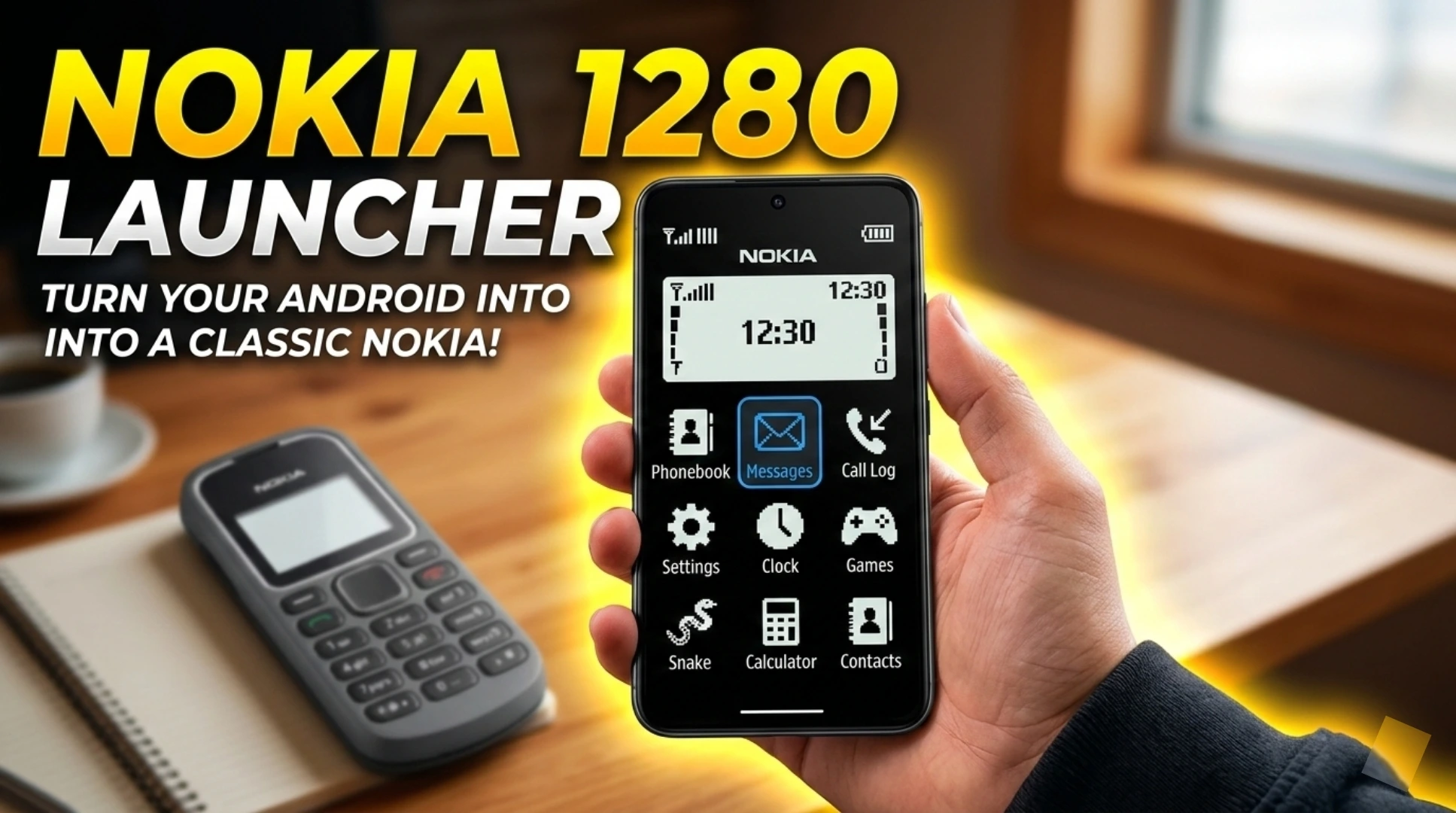
Navigate the Interface: The launcher will now display a home screen that looks remarkably like the original Nokia 1280. You will see a grid of icons, a classic clock, and signal indicators styled after the original. Tap icons to open apps, and use the back button to navigate menus.
Explore Additional Features: Many launchers include bonus features like built-in classic games such as Snake, a torchlight widget, or a simplified contacts dialer. Take some time to explore what your specific launcher offers.
Switch Back if Needed: If you ever want to return to your regular launcher, simply go to Settings, then Apps, then Default apps, and select your original launcher as the home app.
Features of a Nokia 1280 Launcher for Android
The best Nokia 1280 Launcher for Android applications offer a rich set of features designed to authentically recreate the classic experience while integrating with modern Android functionality. Here are the key features to look for:
Authentic Visual Design: The launcher faithfully reproduces the look of the Nokia 1280 interface, including the iconic icon grid, the classic status bar with signal bars and battery indicator, and the distinctive monochrome or green backlit aesthetic.
Classic Nokia Ringtones and Sounds: Relive the auditory experience with built-in classic Nokia ringtones, message alerts, and keypad tones. The launcher often includes the legendary Nokia tune and other nostalgic sound effects.
Retro Font and Typography: The launcher uses fonts that match the original Nokia 1280 display, adding to the authentic feel. The chunky, pixelated text is instantly recognizable to Nokia fans.
Simplified App Drawer: Instead of modern scrolling lists, the launcher presents apps in a simple grid or list format reminiscent of the original phone’s menu structure. This makes finding and opening apps a breeze.
Classic Games Included: Many Nokia 1280 launchers come bundled with classic games like Snake, Space Impact, or other retro titles. These are fully playable and add to the nostalgic experience.
Torchlight Widget: Just like the original Nokia 1280 which featured a built-in flashlight, many launchers include a torchlight widget or shortcut that activates your phone’s camera flash.
Battery Saver Mode: Embracing the original phone’s legendary battery life, some launchers include simplified modes or battery optimization tips to help extend your Android device’s usage time.
Dual SIM Management: For users with dual SIM Android phones, some launchers provide a simplified interface for managing SIM cards, just like the original Nokia 1280 supported multiple SIMs.
Lock Screen Emulation: Some launchers replace your Android lock screen with a classic Nokia-style screen that displays the time, date, and battery status in the familiar format.
How to Download the Best Nokia 1280 Launcher?
Downloading a reliable Nokia 1280 Launcher for Android is simple when you know where to look and what to look for. Follow these steps to find and install a high-quality launcher:
Open the Google Play Store: Access the Play Store from your Android device.
Use Specific Search Terms: Type relevant keywords such as:
– “Nokia 1280 launcher”
– “Classic Nokia launcher”
– “Old Nokia theme”
– “Feature phone launcher”
– “Retro Nokia UI”
Evaluate the Search Results: Before installing, carefully review each option:
– Check the app rating and aim for 4.0 stars or higher
– Read recent user reviews to see if the launcher works well on modern Android versions
– Look at the number of downloads as apps with over 100,000 downloads are generally more reliable
– Review screenshots to ensure the visual design matches your expectations
– Check the last update date to confirm the app is compatible with Android 12, 13, or 14
Popular Nokia 1280 Launcher Options: Some highly-rated launchers in this category include:
– Nokia S30 Launcher
– Classic Nokia Launcher 1280
– Old Nokia Launcher 2019
– Retro Nokia Launcher
– Nokia 105 Launcher (similar aesthetic)
Tap Install: Once you have selected your preferred launcher, tap the Install button and wait for the download to complete.
Open and Set Up: After installation, open the launcher and follow the prompts to set it as your default home screen.
Security Note: Always download from the official Google Play Store. Avoid APK files from third-party websites, as they may contain malware or unwanted software. Stick to trusted developers with positive reviews.
Alternative Options to Nokia 1280 Launchers
While dedicated Nokia 1280 launchers offer the most authentic experience, there are alternative ways to achieve a similar retro or minimalist look on your Android device:
Custom Icon Packs: You can install retro-style icon packs from the Play Store that feature Nokia-inspired designs. Combine these with a minimalist launcher like Nova Launcher to create a customized retro feel without changing the entire interface.
KWGT Widgets: Use Kustom Widget Maker to create widgets that resemble the Nokia 1280 home screen. You can design clock widgets, battery indicators, and signal bars that match the classic aesthetic.
Minimalist Launchers: Launchers like Before Launcher or Indistractable Launcher focus on simplicity and reduced screen time. While not Nokia-specific, they offer a clean, uncluttered interface similar in philosophy to the Nokia 1280.
Retro Theme Apps: Some theme apps for Android include Nokia-inspired themes that change wallpapers, icons, and system colors without replacing the entire launcher.
Classic Nokia Apps: Look for individual apps that recreate specific Nokia experiences, such as classic Snake game apps or Nokia ringtone apps, to add nostalgic elements without changing your entire phone.
Custom ROMs: For advanced users with rooted devices, some custom ROMs offer retro UI options or themes that can be applied system-wide.
Cons & Pros of Using a Nokia 1280 Launcher
Like any customization tool, using a Nokia 1280 Launcher for Android has both advantages and potential drawbacks. Here is a balanced look at what to expect:
Pros
Nostalgia Factor: The primary benefit is the emotional connection and fond memories these launchers evoke. For those who grew up with Nokia phones, it is a delightful trip back in time.
Simplified Interface: The minimalist design reduces distractions and clutter, helping you focus on essential tasks rather than getting lost in a sea of apps and widgets.
Lightweight Performance: Most Nokia launchers are extremely lightweight compared to modern feature-rich launchers. They consume minimal RAM and battery, making them ideal for older or low-spec Android devices.
Unique Style: Your phone will stand out from the crowd. While everyone else has glossy, modern interfaces, your device will have a distinctive retro charm that sparks conversations.
Included Classic Games: Having Snake and other retro games readily available is a fun bonus that provides entertainment without needing additional downloads.
Battery Friendly: The simplified interface often discourages excessive swiping and screen time, potentially contributing to better battery life.
Cons
Limited Functionality: Modern Android features like widgets, gesture navigation, and advanced customization may be limited or unavailable in these launchers.
Compatibility Issues: Some Nokia launchers may not be fully optimized for the latest Android versions, leading to bugs, crashes, or features that do not work correctly on Android 13 or 14.
Outdated Aesthetic: While the retro look is the whole point, some users may find the monochrome or green-tinted interface difficult to read or visually unappealing after the novelty wears off.
Ads in Free Versions: Many free launchers contain advertisements that can detract from the authentic experience. Removing ads often requires a paid upgrade.
Learning Curve: If you are accustomed to modern Android navigation, adapting to a simplified menu structure may take some getting used to.
Limited App Support: Modern apps with complex interfaces may look out of place within the retro launcher, creating a jarring visual disconnect when opening them.
Potential for Abandonment: Some launchers are created by small developers and may not receive updates, eventually becoming incompatible with newer Android versions.
Conclusion
The Nokia 1280 Launcher for Android is more than just a customization tool; it is a portal to the past. It allows users to reconnect with the simplicity and charm of the early mobile phone era while still benefiting from the power and connectivity of a modern Android device. Whether you are a long-time Nokia enthusiast, someone who appreciates minimalist design, or simply curious about a different mobile experience, these launchers offer a unique and enjoyable way to personalize your phone.