14 August Photo Frames for Android
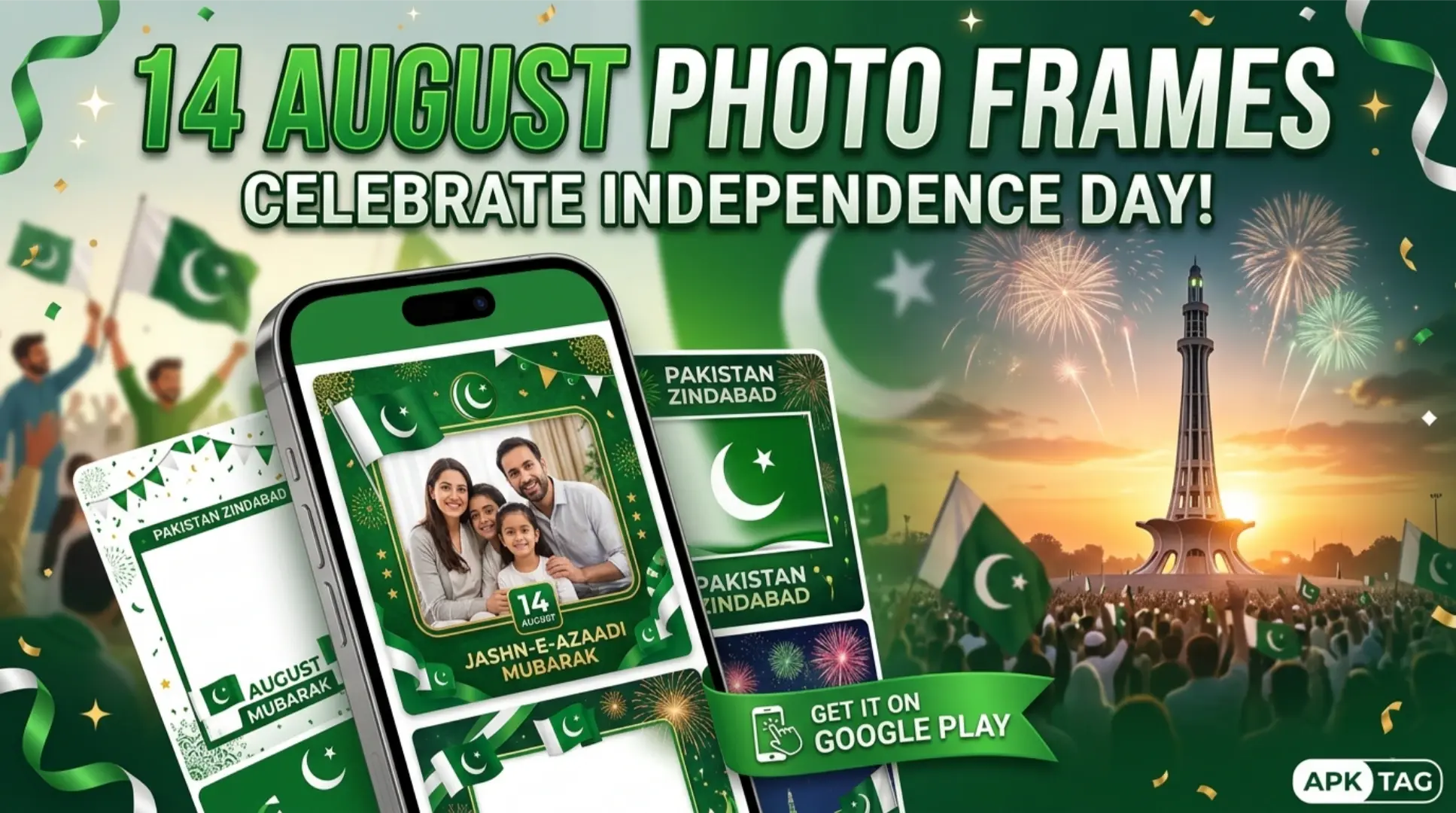
14 August Photo Frames are applications for Android devices. The apps add Pakistani Independence Day themed borders and decorations to your photos. You add flags, crescents, stars, and national monuments. You create patriotic images for social media, messages, and greetings. The apps are free and easy to use.
What are 14 August Photo Frame Apps?
14 August Photo Frame apps are editing tools. They overlay patriotic designs on your photos. You select a photo from your gallery. You choose a frame from the app library. The frame includes national symbols and Independence Day messages. You adjust the photo position and size. You save the final image. The apps have thousands of downloads. Average user rating is 4.0 to 4.5 stars. App size is 20 to 50 MB. Requires Android 5.0 or higher.
Core Purpose
You create patriotic images for 14 August. You share them on social media. You send greetings to family and friends. You decorate your profile picture. You celebrate Pakistan’s Independence Day.
Core Features
Patriotic Frames
The app includes hundreds of frames. Frames feature the Pakistani flag. Frames include crescents and stars. Frames show national monuments like Minar-e-Pakistan. Frames include text like “14 August” and “Happy Independence Day.”
Photo Editing
You adjust brightness, contrast, and saturation. You crop and rotate your photo. You apply filters for effects. You add stickers and text overlays.
Stickers and Emojis
The app includes patriotic stickers. Stickers include flags, crescent moons, and stars. Stickers include national birds and flowers. You place them anywhere on your photo.
Text Overlays
You add custom text to your photo. You choose from patriotic messages. You edit font style, size, and color. You position the text on the image.
Backgrounds
The app includes patriotic backgrounds. Backgrounds show flags, skies, and monuments. You replace your photo background. You blend your photo with the background.
Collage Maker
You combine multiple photos into one frame. You select a collage template. You add photos to each slot. The app creates a unified image.
Social Media Sharing
You share your creation directly to social media. Platforms include Facebook, Instagram, and WhatsApp. You also save the image to your gallery.
Offline Use
Most apps work offline. Frames and stickers are pre-loaded. You do not need internet after download. This is useful in areas with poor connectivity.
Top 14 August Photo Frame Apps
14 August Photo Frames 2026
This app is the most popular. Over 1 million downloads. Rating 4.3 stars. It includes 500+ frames. It offers stickers, text, and collages. It supports HD export.
Pakistan Independence Day Frames
This app focuses on 14 August and 23 March frames. It includes 200+ frames. It has stickers and backgrounds. Rating 4.2 stars.
Photo Frame Maker for Pakistan
This app offers 300+ patriotic frames. It includes editing tools and stickers. It has a collage maker. Rating 4.1 stars.
Flag Photo Frames
This app focuses on flag-themed frames. It includes 150+ designs. It offers text overlays. Rating 4.0 stars.
Independence Day Photo Editor
This app includes frames and editing tools. It has stickers, text, and effects. It supports social sharing. Rating 4.2 stars.
How to Download and Install
Play Store Method (Recommended)
Open the Google Play Store. Search for “14 August Photo Frames.” Select an app with high ratings. Tap install. Wait for completion. Open the app. Grant storage permission.
APK Method
You download the APK from third-party sites. This method carries risks. Enable unknown sources in your settings. Download the APK from a trusted site like APKMirror. Tap the APK file to install. Grant permissions during installation.
Why Use the Play Store Version
The Play Store version updates automatically. The Play Store version includes Google’s security checks. The Play Store version is verified. The APK version may contain malware. The APK version may not update. Use the Play Store version for safety.
Step-by-Step Usage Instructions
Step 1: Open the App
Launch your chosen photo frame app. The app requests storage permission. Grant the permission to access your photos.
Step 2: Select a Photo
Tap the “Gallery” or “Select Photo” button. Browse your device storage. Choose the photo you want to edit. The photo loads into the editor.
Step 3: Choose a Frame
Tap the “Frames” tab. Scroll through the available designs. Select a 14 August theme frame. The frame appears over your photo.
Step 4: Adjust the Photo
Drag your photo to reposition it. Use pinch gestures to zoom in or out. Ensure your subject is visible within the frame. The photo and frame fit together.
Step 5: Add Stickers
Tap the “Stickers” tab. Browse the patriotic stickers. Select a flag, crescent, or star. Drag it to your preferred position. Resize it with pinch gestures.
Step 6: Add Text
Tap the “Text” or “Message” button. Type your greeting or name. Choose a font style. Select a color that matches the theme. Move the text to a suitable location.
Step 7: Apply Filters
Tap the “Filter” or “Effect” tab. Choose a filter to adjust colors. Options include vintage, black and white, and bright. Apply the filter for a polished look.
Step 8: Save the Image
Tap the “Save” button. The app saves the image to your gallery. The saved image is typically in JPEG format. It is saved in high resolution (HD).
Step 9: Share Your Creation
Tap the “Share” button. Select a social media platform. Options include Facebook, Instagram, and WhatsApp. You also share via email or messaging apps.
Customization Options
Frame Selection
You choose from flag frames, monument frames, and text frames. Flag frames show the green and white flag. Monument frames show Minar-e-Pakistan or Quaid’s mausoleum. Text frames include “14 August” and “Pakistan Zindabad.”
Sticker Placement
Stickers are movable and scalable. You place them in empty areas. You overlap them for a layered effect. You remove them with a tap.
Text Customization
You change font, size, and color. You add a shadow or outline. You rotate the text at an angle. This creates a dynamic look.
Background Options
You change the background to a flag or sky. You select from pre-set backgrounds. The background fills the empty space around your photo.
Collage Templates
You select a 2-photo, 3-photo, or 4-photo template. You assign each slot a different photo. The frame applies to the entire collage. This is useful for group photos.
Pros & Cons
Pros
The app is free and easy to use. The app includes hundreds of frames. The app supports stickers and text. The app works offline. The app shares directly to social media.
Cons
The APK version may contain malware. Free versions include ads. Some apps collect usage data. Image quality depends on your original photo.
Conclusion
14 August Photo Frame apps are fun and easy tools. You create patriotic images for Independence Day. You choose from hundreds of frames. You add stickers and text. You share your creations on social media. Use the Play Store version for security. Choose an app with high ratings and many frames. Adjust your photo for the best fit. Create and share your images. Celebrate 14 August with your patriotic photos. Download an app today and design your Independence Day greetings.